

Technology is advancing and evolving every day. With the advent of AI, we’re seeing new tools emerge faster than ever. That also includes web builder platforms. Sometimes, you build out your site with fancy add-ons, and then the builder updates, and you just hope your add-ons are still supported.
For example, the WordPress plugin Elementor, which we use for our Nerd Crossing website and some of our clients’ websites just launched version 4.0. Being the Nerds that we are, we checked it out. If your website isn’t currently hosted on WordPress, this post isn’t for you. If you are hosted on WordPress, and/or are interested in Elementor, keep reading!
Here’s what you need to know:
What’s New
Disclaimer: Elementor is a robust and versatile web builder and page builder that essentially allows you to create a fully custom website from scratch. While it has a lot of amazing functionality, it also has a learning curve and may not be right for everyone. With that said, Nerds love being nerdy, and this baby is right up our alley!
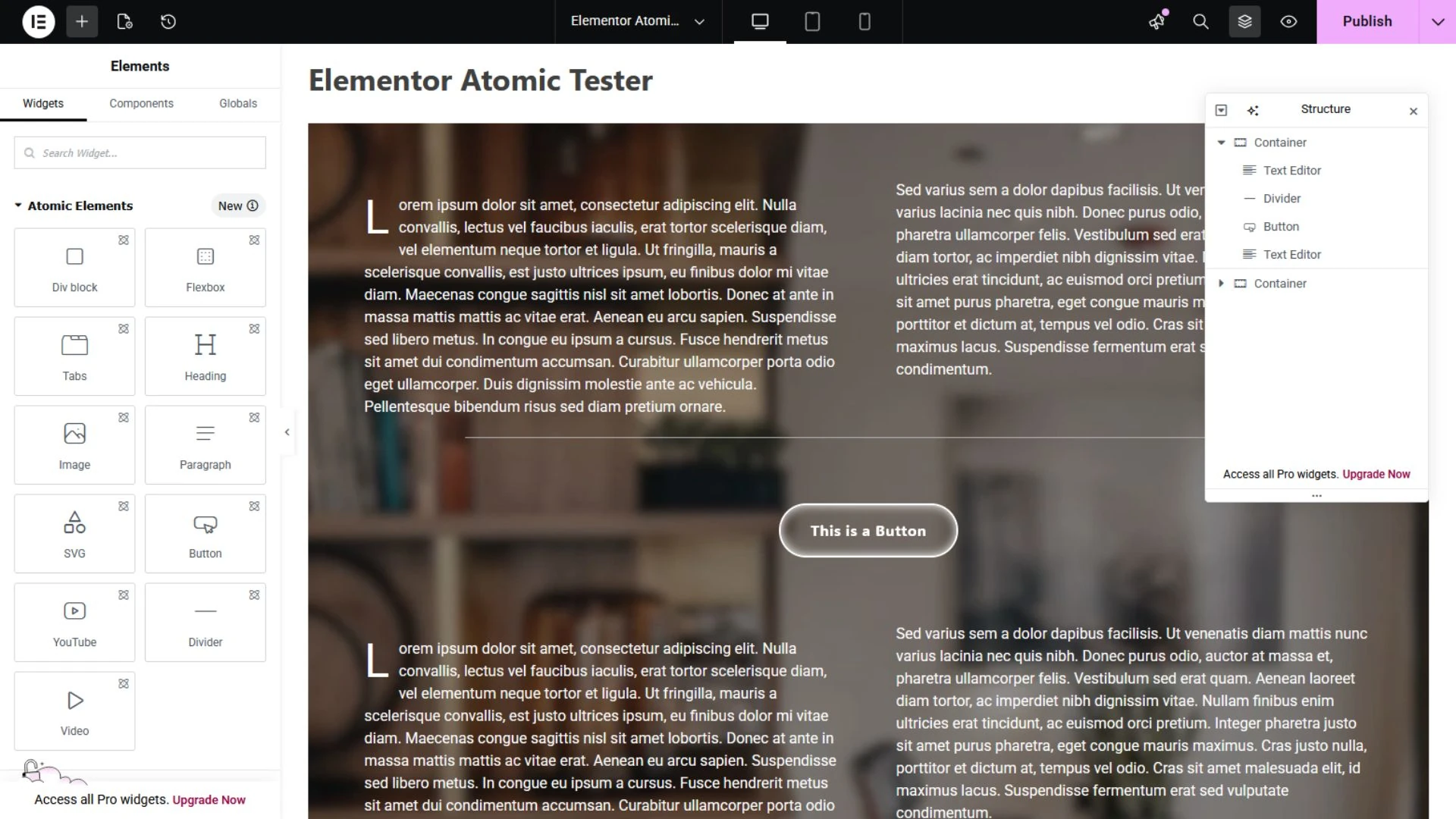
4.0, AKA “Atomic” is currently an optional version you can activate or deactivate in your Dashboard. The builder UI is still pretty much the same, but there are some new widgets and a new way to create styles, variables, and classes right in the page builder. This is a great feature which can streamline and simplify the styling of your entire website (as long as you know what you’re doing).
Pros
The new Atomic widgets are essentially blank building blocks which you can customize as much or as little as you like. How you customize them has also been streamlined, with settings grouped together in a more logical way that is uniform for each widget. No more clicking around to different tabs.
You can also now save elements as reusable components and make parts of them editable, which essentially means you can make your own custom widgets right there in the page editor. This is currently only available on the Pro version of Elementor, but creates a lot of potential flexibility for web designers.
Probably the best and most important part of this update is that it remains backwards compatible with older widgets and add-on plugins. Whatever you already built out on your website will still be functional and editable in this new version the same way as before. You can keep the widgets you already have on your site and continue to add them to pages going forward.
Cons
As with all new technology releases, Elementor 4.0 has a few bugs that need to be worked out and some limitations we’re hoping will be addressed with future updates. There are only a few Atomic widgets currently available (with more to come). This may be offset for most users with the ability to create custom components, but you cannot create those with legacy widgets.
As this is a new update, some older add-on plugins that allow you to use Elementor templates, or combine or nest widgets don’t always recognize the new Atomic styling convention, which may cause issues. Until the plugins update for compatibility, you can avoid problems by substituting legacy widgets for Atomic ones.
The biggest limitation is the new Atomic Paragraph widget. Arguably the most essential piece of a webpage, it adds text one Atomic paragraph widget at a time. The Nerds rate it a 3/10. Less, if you’re working with large blocks of text, like a blog post. For this, we recommend using the legacy Text Editor widget, which still retains full functionality with more options for customizing your text in one instance.
While the Elementor web builder update made global styling easier in some ways, its most powerful functions may still be too complex for the average user, especially if you’re new to Elementor, or web design in general. Some knowledge of CSS is definitely required and recommended, even with more and more tutorials popping up on YouTube every day.
Conclusion
The new Elementor plugin does make creating style sheets easier as a user interface with variable controls that allows you to click through and preview changes to styling in real time, rather than typing out whole sequences of code and hoping you don’t miss an end bracket. With that said, you are, in fact, creating modular code to style your website using this tool.
So who’s this for? Well, we probably wouldn’t recommend it as a starting point for beginners building their first website, but if you have a little experience under your belt and you like to kick the tires on new tech, this is a good one to try out. Also, if you’re handing off a custom website to a client for future content edits, they might appreciate the WYSIWYG Elementor editor over the native WordPress Block editor, too.
Need Some Help?
All of these new bells and whistles can be a lot to learn and absorb. But don’t worry, your friendly neighborhood Nerds are here to help you out! Does your website need an update, or an ADA compliance check? We can help! Give us a shout and we’ll get you sorted out.