

As of 2026, new websites built by Nerd Crossing are created using the Elementor page builder. This allows us and our clients to edit pages in WYSIWYG (what you see is what you get) so we can see changes in real time without needing to switch tabs or publish changes incrementally to test them.
Elementor 4.0 introduced new “Atomic” elements, which are configured differently than regular Elementor widgets. While the page builder still fully supports the original widgets, you may see some Atomic elements on your website. Here’s what you need to know:

Atomic elements now appear at the top of the sidebar, with older widget types being pushed lower. All of them are still accessible and searchable as usual.
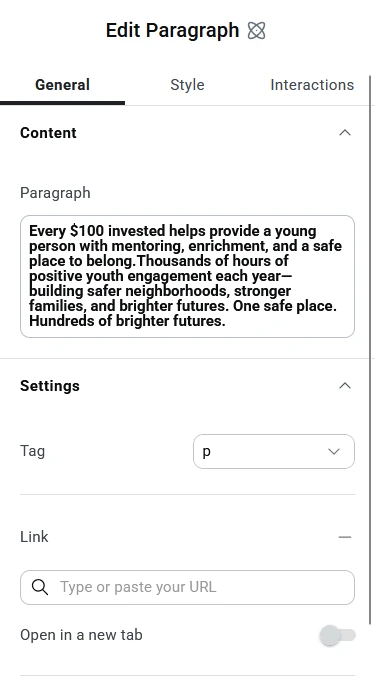
When you add an Atomic element to your page, you will see three tabs in the sidebar, which consolidate all content and styling options into more intuitive groupings.
General tab is where you place the content. This can be text, images, links, etc.
Style tab is where you control the way your content looks. This includes sizing and spacing controls as well. For more information about this section, check out the Atomic Elements: Style post.
Interactions tab is where you add motion to your element. For more information about this section, check out the Atomic Elements: Interactions post.